Find past park visits in your iPhone photos.
You may already have the beginning of a park journal in Photos: the lake you stopped beside, the visitor center, the view from camp. GoParks can use the dates and locations in those pictures to help you find visits worth keeping.
No always-on tracking. You review the suggestions before saving.

Start with location information in Photos.
Open a picture in Apple's Photos app and swipe up to see its information. A map or place name is a useful sign that the photo has location data. GoParks uses that information and the capture date to look for visits to supported places.
A photo of a mountain is not enough by itself. Pictures without location data, screenshots, and copies that have lost their original metadata may not produce a suggestion. You can still add a past visit yourself.
From a photo library to a park record.
- Choose “Find past visits” during setup. Give GoParks access to the photos you want it to consider. With limited access, it can only inspect the photos you share.
- Let it look for possible visits. Scanning happens on your device. It checks photo dates and locations against the park catalog.
- Review the places and dates. Keep the visits that belong in your history and leave out anything that does not. Nothing saves without your choice.
- Open a saved visit. Add a note or a voice memory. You can return to its photos and the details you chose to keep.
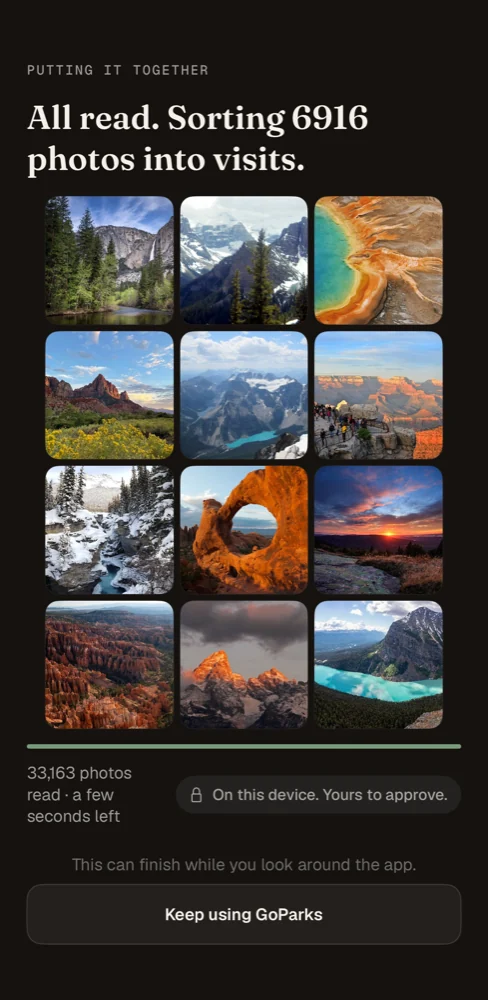
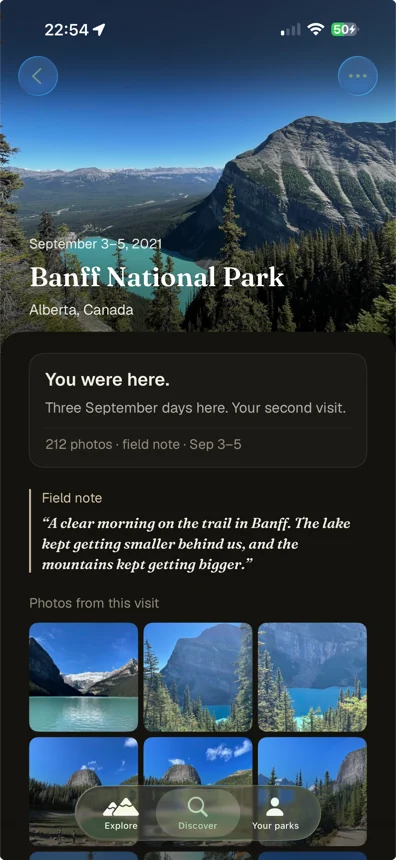
Already using GoParks?
Open a park page. With photo access enabled, GoParks can show likely visits from your photos there. Review the dated groups and select the ones you want to add. If the app finds an existing record through iCloud during setup, it may take you straight to that record instead of the first-run scan.
When a suggestion needs a closer look.
Photo locations are evidence, not proof that you visited. A drive through a park, a photo from a plane, an incorrect camera date, or nearby places with overlapping boundaries can produce an imperfect suggestion. Check the park and date before saving.
If a visit is missing, check photo access, location information, and the supported places. A picture in iCloud Photos may need to download before it can be displayed. GoParks cannot reconstruct an original photo that is no longer available.
A saved journal record and an original photograph are different things. Keep your normal Photos backups; exporting a GoParks journal is not a replacement for them.
Visits and passport stamps are different.
Photo discovery helps build your visit history. It does not award or invent passport stamps. To keep a cancellation imprint, photograph a real one you collected and save it in your GoParks passport.
Your photos, your choice.
Photo scanning and matching happen on your device. Saved memories can sync through your own iCloud. GoParks also uses limited product-usage analytics, which do not include your photos, notes, or voice recordings. Read the privacy policy for the details.
See what is already in your photos.